// what's new · v1.106.0
Ask Claude about your numbers, for any dates
Connect Claude, Cursor or another AI client to Keel HQ and ask about sales, margins, products, customers and costs for any run of days. Read-only.
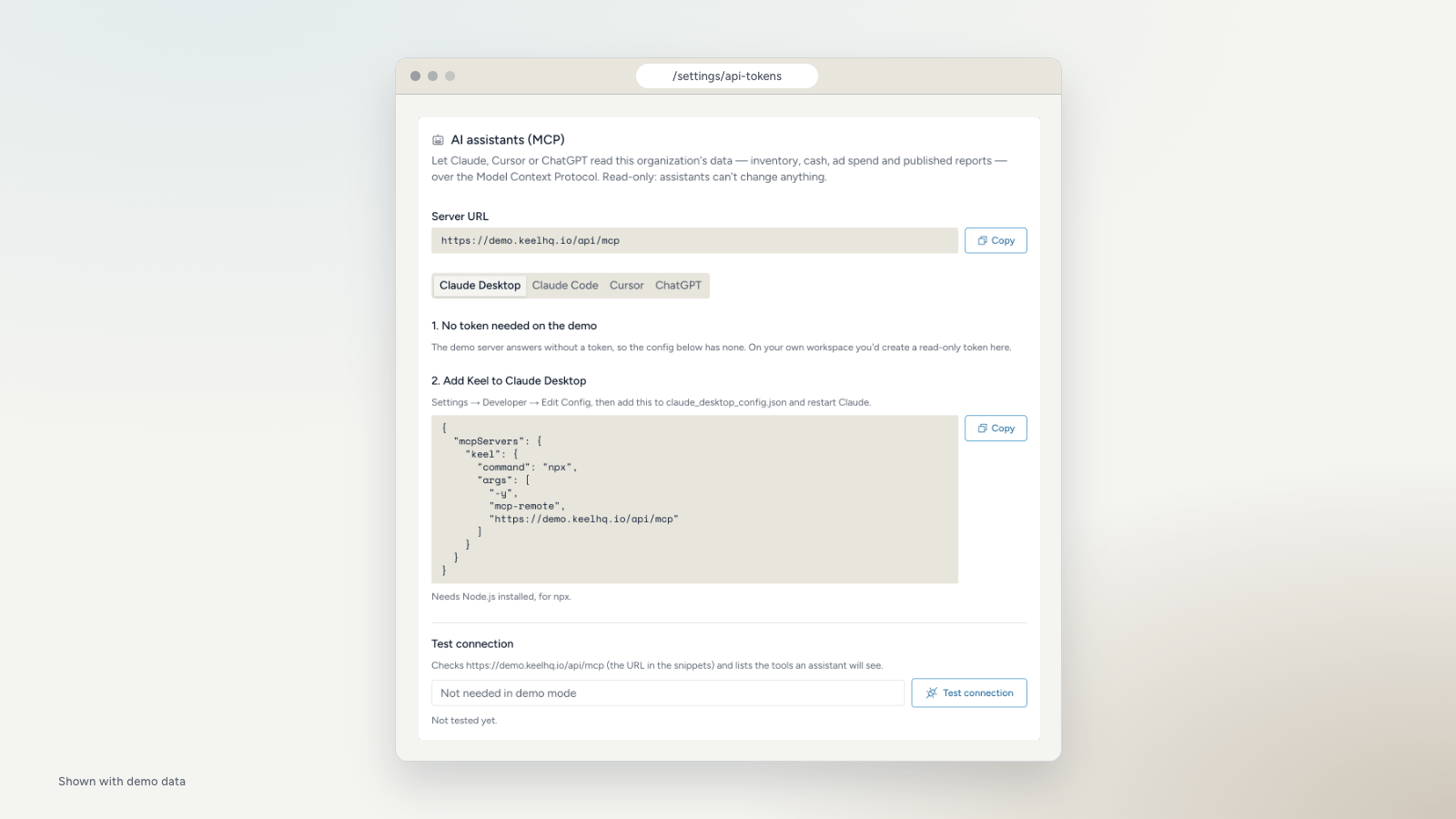
Keel HQ has a read-only connector for AI clients such as Claude Desktop, Claude Code and Cursor. Once it is connected, you can ask about your own numbers in plain words and get answers from the same figures the app shows. It can't change anything in your workspace.
This post covers what the connector could already do, and what we added in the last few weeks.
Connect it
Open Settings, then MCP & API tokens. The AI assistants (MCP) card has a setup snippet for Claude Desktop, Claude Code, Cursor and ChatGPT, filled in with your workspace's URL. An owner or admin creates a read-only token there, pastes the snippet into the client, and uses Test connection to check it. A new token is shown once, so copy it when you create it.
Claude Desktop reaches the connector through a small bridge that runs with npx, so it needs Node.js installed.
What it could already do
The first version shipped in October with the basics:
- Overview. Month-to-date vitals, alerts, trends, inventory health and recent activity.
- Cash. Balances, debts, upcoming bills, expected income and runway.
- Inventory. A product list, and one product by SKU with its stock, sales pace and days of cover.
- Ad spend. Meta campaign spend by calendar month.
- Monthly reports. A report you have published, as figures and as text.
- Brand settings. Your targets and alert thresholds.
Every answer says when each source last synced, so the client can tell you when a number is stale.
What's new
You can now ask about any dates, not only the current month. Questions are grouped here by what you'd want to know.
What did we sell, and what did it earn? Pick a preset such as last 30 days or last quarter, or exact start and end dates. You get the Overview's figures for that run of days, as one total or as a row per day, week, month or quarter: sales, refunds, margin layers CM1 to CM3, ad spend, MER, Blended ROAS, new customers and new-customer ROAS. Slice by store or by new and returning customers. Per-store and per-customer margins share the workspace's costs by a stated rule, so the slices add up to the whole. A figure that can't be worked out comes back empty with the reason, never as zero.
Which products carry the margin? Revenue, units, CM2, discounts, refunds and return rate by product, variant, product type, category, discount code or order tag. Inventory can be limited to one store, and it shows oversold and sold-out sizes.
Who comes back, and when? Monthly customer cohorts, which first products bring buyers back, how many days people take to place a second order, and what gets bought together. No customer names or emails are returned.
Can I trust the margins? A data quality check lists what to fix before you trust COGS or stock, starting with the share of sales that has no cost behind it. Separate lookups return your cost rules and the definition of every figure.
How are my wholesale accounts doing? A list of wholesale accounts and the order history of one account. Wholesale means a store you marked Wholesale in Settings, or a Shopify B2B company order in any store.
Questions to try
- "How did the last 30 days compare with the 30 before, for new customers only?"
- "Which products sell well but have the lowest CM2?"
- "Which first product brings customers back fastest?"
- "What should I fix before I trust my margins?"
Connector answers are only as good as the data behind them, and the freshness note on each answer says how old that data is.