// alternative
Cogsy alternative: where to take your planning and POs
Cogsy has been discontinued, per its parent Mayple. What the Shopify listing still showed, and how to rebuild suppliers and purchase orders in Keel HQ.

David LindahlFounder of Keel HQ, and runs a DTC brand on it
Published Last verified
- Status
- Discontinued (no date given)
- You need
- Your own data and spreadsheets
- Import
- Your own spreadsheet, columns mapped by you
// status · Cogsy
Mayple, Cogsy's parent, says on its Cogsy page: "Cogsy has been discontinued and is no longer available." The page gives no date, no export or deletion dates and no migration path, so none is claimed here. The date on this box is the day we checked.
SourceVerified
// tl;dr
Cogsy is discontinued (no date given), according to Mayple, the company it was part of. Mayple documents no export or migration path, so start from what you still have: your Shopify data and your supplier spreadsheets. Keel HQ plans more simply: reorder points from your trailing 90-day pace, and purchase orders whose payments land in a 14-week cash forecast.
Mayple's Cogsy page (Cogsy, accessed 2026-10-30) says: "Cogsy has been discontinued and is no longer available," and that Cogsy was part of Mayple. It gives no date, no export or deletion dates and no migration path. The description of what Cogsy did comes from its Shopify App Store listing (Cogsy, accessed 2026-10-30).
What Cogsy listed
Demand planning up to 12 months out, for existing and new products.
Plans that account for upcoming marketing events.
Replenishment alerts and purchase orders with restock recommendations.
Integrations with Amazon, Cin7, Extensiv, Fulfil, Linnworks and ShipBob.
Side by side
| Cogsy (as listed) | Keel HQ | |
|---|---|---|
| Planning horizon | Up to 12 months | Reorder points from the trailing 90 days; 14-week cash forecast |
| Purchase orders | Restock recommendations and POs | POs with a payment schedule |
| Cash | Not on the listing | PO payments feed the cash forecast |
| Price | Not available to new customers | See pricing |
Moving over
Keel HQ has no import preset for Cogsy, and Mayple documents no export, so you build your own spreadsheet and map its columns. There is no live connection to Cogsy; you upload files, and nothing saves until you review it.
- 01Add your suppliers first
Keel HQ's file presets don't read supplier payment terms, so start from a spreadsheet of your suppliers. Open Inventory → Settings, find the Suppliers card and click Import. Choose Your own spreadsheet: Suppliers, with Supplier name, Lead time (days), MOQ, Currency, Payment terms and Email. Review, then click Import. Each imported purchase order copies its supplier's payment terms, and those payments feed the cash forecast.
- 02Import your open purchase orders
Mayple documents no export, so build a spreadsheet of your open purchase orders from what you have: your Shopify data, your supplier's order confirmations and any Cogsy files you kept, one row per PO line. In Keel HQ, open Inventory → POs and click Import, which opens Inventory → Import. Under What is this file? choose Your own spreadsheet: Purchase orders, click Choose file, and match each field in the Columns card to a column. PO number, Supplier and Quantity ordered are required; rows with the same PO number make one PO. Then Review import.
- 03Import supplier and lead time per SKU
On Inventory → Import, choose Your own spreadsheet: SKU settings, one row per SKU with SKU, Supplier, Lead time (days), MOQ and Reorder point (units).
What Keel HQ doesn't do
No demand planning beyond the trailing 90-day pace, and no marketing-event planning.
Keel HQ doesn't integrate with Amazon, Cin7, Extensiv, Fulfil or Linnworks.
No Cogsy import preset and no live connection. You upload a spreadsheet and match its columns.
Keel HQ is in private beta, with a waitlist.
Questions
- Has Cogsy shut down?
- Its parent says so. Mayple's Cogsy page states that Cogsy has been discontinued and is no longer available, and that Cogsy was part of Mayple. It gives no date. When we checked on 2026-10-30 the Shopify App Store listing was still up, so we don't recommend installing it.
- Can I export my data from Cogsy?
- Mayple's page documents no export or deletion dates and no migration path. If you still have Cogsy exports, keep them. Otherwise rebuild from your Shopify data and your supplier spreadsheets.
- Can I import Cogsy data into Keel HQ?
- As your own spreadsheet. Keel HQ has no Cogsy preset, so under Inventory → Import you choose Your own spreadsheet: Purchase orders, Suppliers or SKU settings and match the columns yourself. There is no live connection to Cogsy, and you review everything before it saves.
- Does Keel HQ plan demand 12 months out like Cogsy did?
- No. Keel HQ's reorder point uses the trailing 90-day sales pace, and its cash forecast runs 14 weeks.
// how keel hq does this
Know what to reorder and what to stop buying.
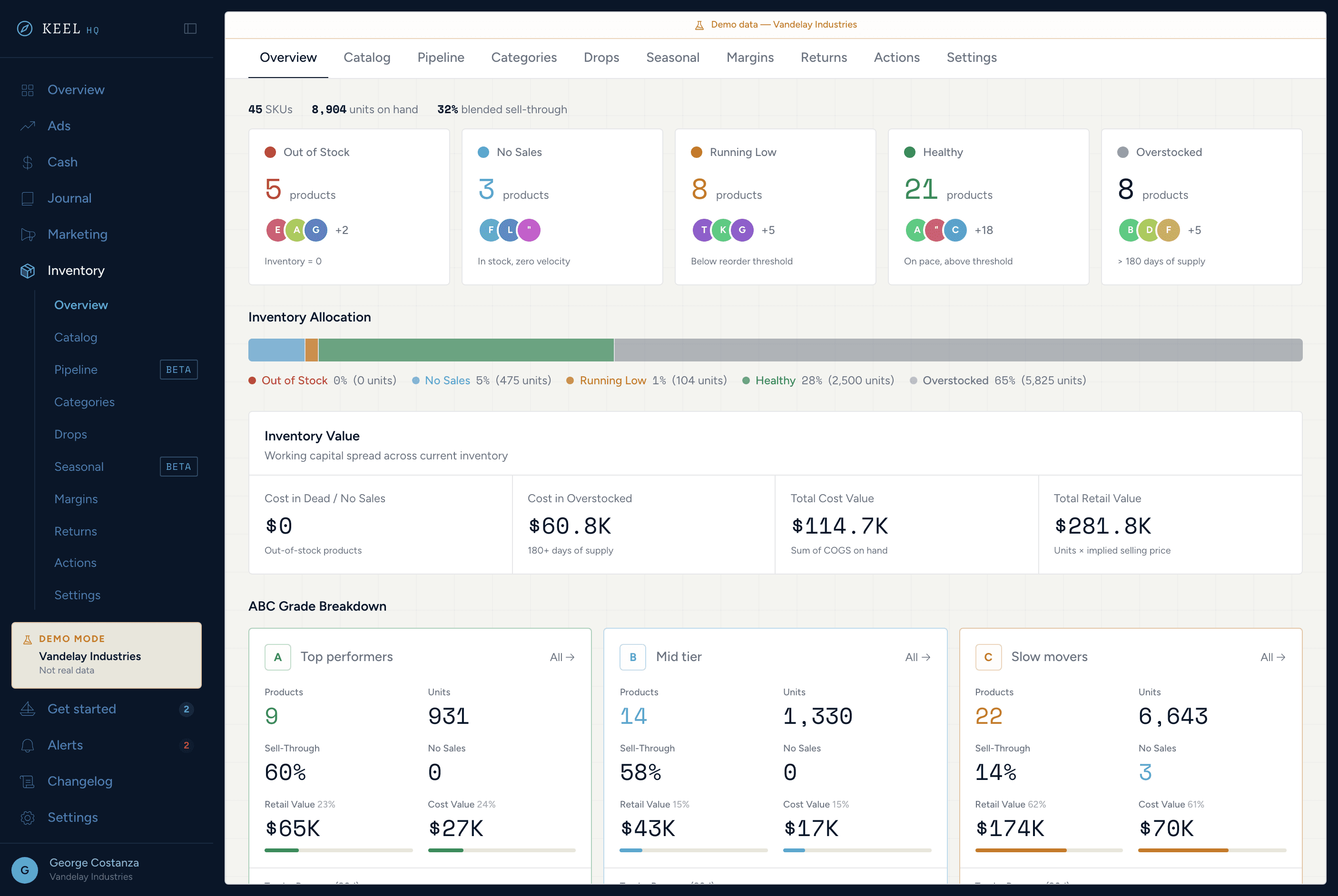
From ABC grading to sell-through curves, product pipeline, margin modeling, and return tracking — inventory ops without the spreadsheet.
See inventory in Keel HQKnow your position. Never be surprised.
Runway days, debt stack, a 14-week rolling forecast with scenario sliders, and auto-generated action items — all without a spreadsheet.
See cash command center in Keel HQ