
Replace a $1,400/mo tool stack starting at $95/mo.
One platform for inventory, cash flow, margins and marketing.
Join the waitlistWhat the same job costs today.
Most five-to-seven-figure DTC brands run five to eight separate subscriptions to cover what Keel HQ does in one. Each with its own login, learning curve, and monthly bill.
~$1,400
/month
Triple Whale · Motion · Inventory Planner · Lifetimely · Float · Notion · Later
starting at
$95
/month
Everything below, in one place
| Feature | Replaces | Their price | Replaces / Price | Keel HQ | |
|---|---|---|---|---|---|
| Meta ad scoring + kill/scale calls (coming soon) | Triple Whale | $549+ | Triple Whale· $549+ | ||
| Ad library + hook and format analysis (coming soon) | Motion | $250+ | Motion· $250+ | ||
| Inventory management + pipeline + returns | Inventory Planner | $299+ | Inventory Planner· $299+ | ||
| Profit on real COGS (CM1, CM2) + customer LTV | Lifetimely | $149+ | Lifetimely· $149+ | ||
| Cash flow + 14-week forecast + debt stack | Float | $85+ | Float· $85+ | ||
| Marketing calendar + AI carousel builder | Notion + Later | $61+ | Notion + Later· $61+ | ||
| Shipping analytics + warehouse ops | Spreadsheets | — | Spreadsheets | ||
| Monthly P&L reports with an AI narrative | Manual work | — | Manual work | ||
| AI chat (your Anthropic or OpenAI key) + MCP access to your data | Copy-pasting into ChatGPT | — | Copy-pasting into ChatGPT | ||
| A second Shopify store (for example, wholesale), on the same plan | — (nothing) | — | — (nothing) | ||
| ── combined total ── | ── combined total ── | ~$1,400/mo | ~$1,400/mo | $95/mo | |
// Competitor pricing from publicly available plans as of 2026.
Everything that matters, in one place.
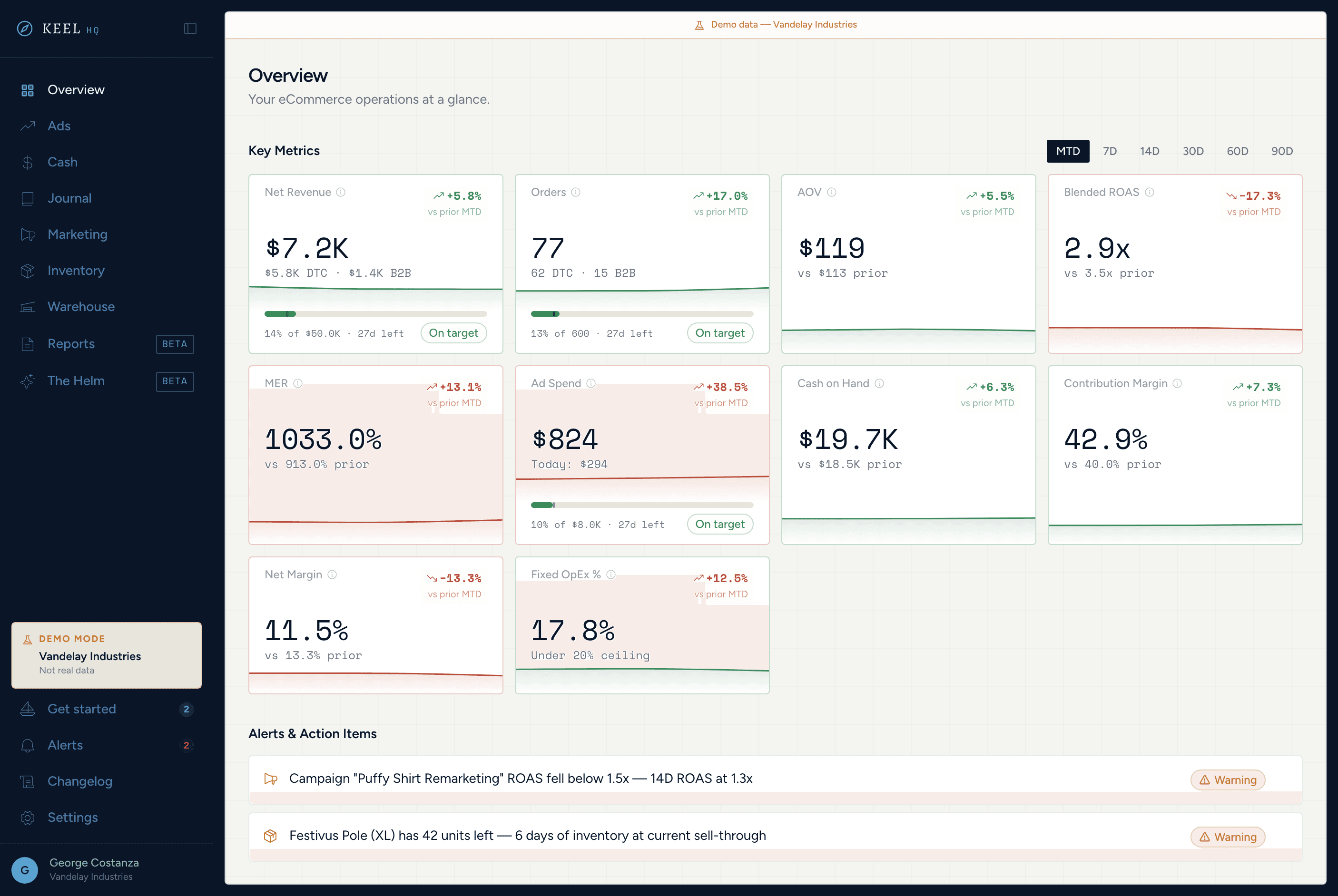
Ten KPIs against the prior period, CM1 and CM2 on real COGS, and alerts on cash and stock — all before your first coffee.
10-metric KPI grid
Net revenue, orders, AOV, cash on hand, contribution margin, and fixed OpEx, each against the prior period. Ad spend, Blended ROAS, MER, and net margin fill in once Meta Ads connects (coming soon).
Margin layers
CM1 and CM2 on real COGS, with CM3 and net profit once Meta Ads connects. Until 90% of revenue has a cost, Keel holds the numbers back and lists what to fix.
Revenue trend charts
Blended revenue over the last 30 days, with each connected Shopify store charted separately.
Threshold alerts
Flags low cash, low stock, and dead stock. ROAS and MER alerts join once Meta Ads connects.
Flexible periods
MTD, 7D, 14D, 30D, 60D, 90D — switch instantly, all data updates together.
Goals on the cards
Set revenue, order, and fixed OpEx targets and see your pace on each KPI card. Ad spend, ROAS, and MER targets join with Meta Ads.
Stop guessing which ads are working.
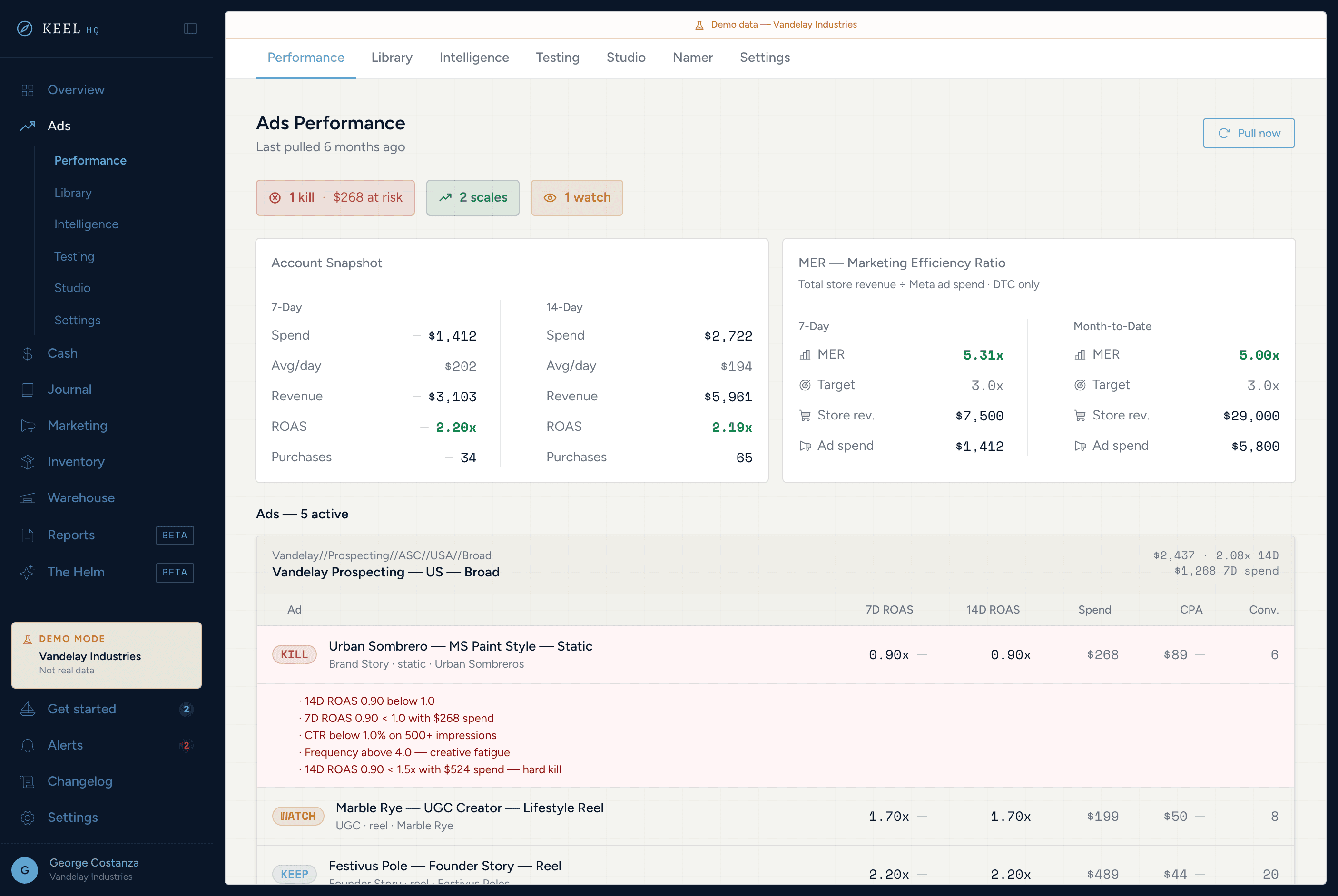
Six tabs of Meta ad intelligence: kill/scale scoring, an ad library, hook and format analysis, a test board, and Claude-drafted briefs.
Kill / scale scoring
Every ad with recent spend gets a SCALE, KEEP, WATCH, PAUSE, or KILL call against your ROAS thresholds.
Ad library
Every ad Keel pulls stays on file, so your record outlasts Meta's reporting window.
Pattern analysis
Hooks, formats, and products ranked by 14-day ROAS. Gap detection built in.
Test board
Every ad test on one board, from Concept to Winner or Killed.
Creative brief generator
AIClaude-drafted briefs seeded with your top hook, format, and target ROAS.
Ad namer
Builds every ad name from the same fields, so your naming convention holds across campaigns.
Know your position. Never be surprised.
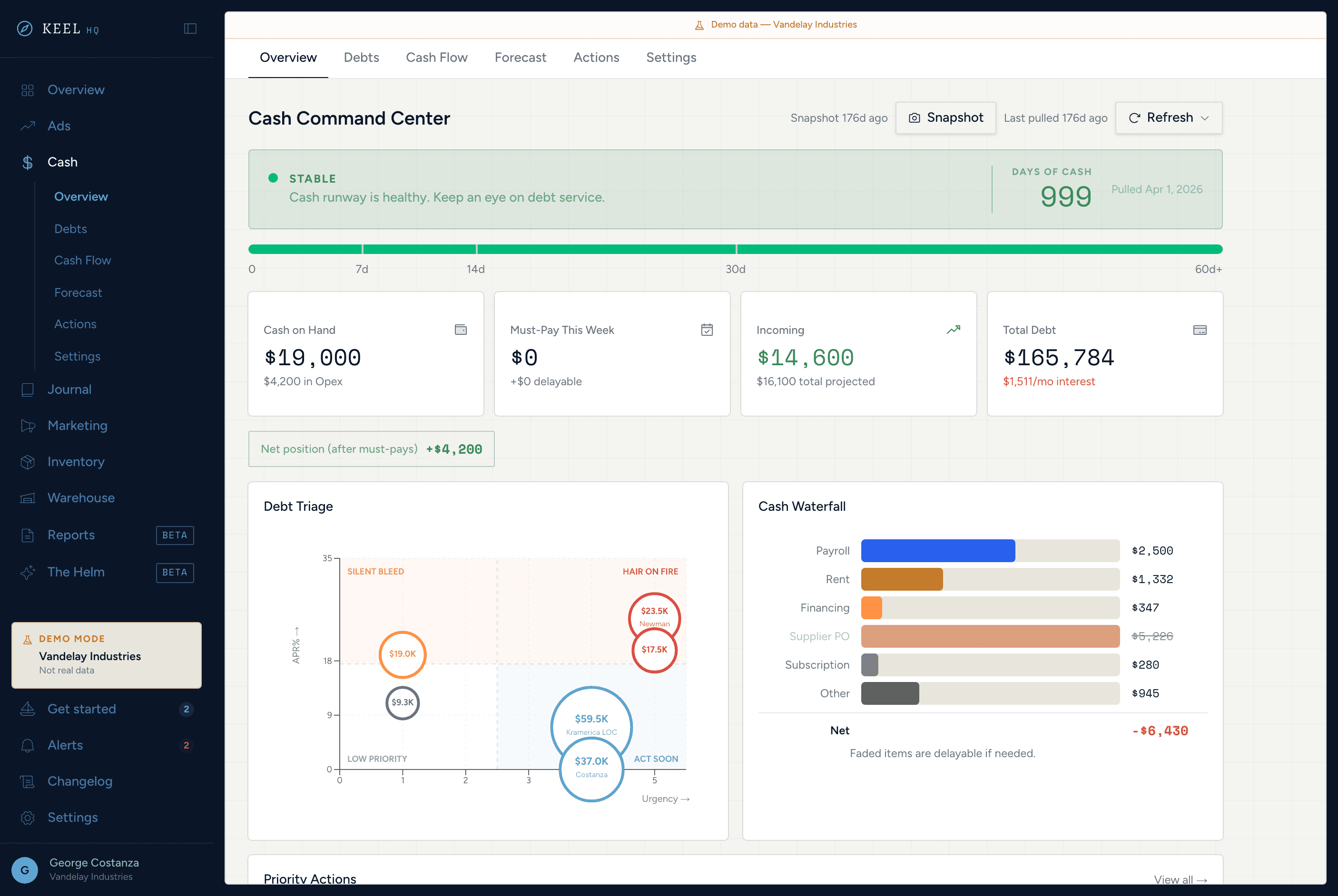
Runway days, debt stack, a 14-week rolling forecast with scenario sliders, and auto-generated action items — all without a spreadsheet.
Health banner
Runway days and net position at a glance, every time you open the tab.
Cash waterfall
Upcoming obligations by category, set against your operating account.
Debt quadrant
Scatter plot of every debt by urgency and APR — know what to tackle first.
14-week forecast
Model revenue, ad spend, and Shopify Capital scenarios. Your hand edits stay put when it regenerates.
Mercury and Shopify payouts
Balances from every active Mercury account, synced nightly or on demand, plus scheduled Shopify payouts in the forecast.
Priority action list
Auto-generated pay, negotiate, and collect actions, with suggested Mercury matches when you close one out.
Know why things changed, not just that they did.
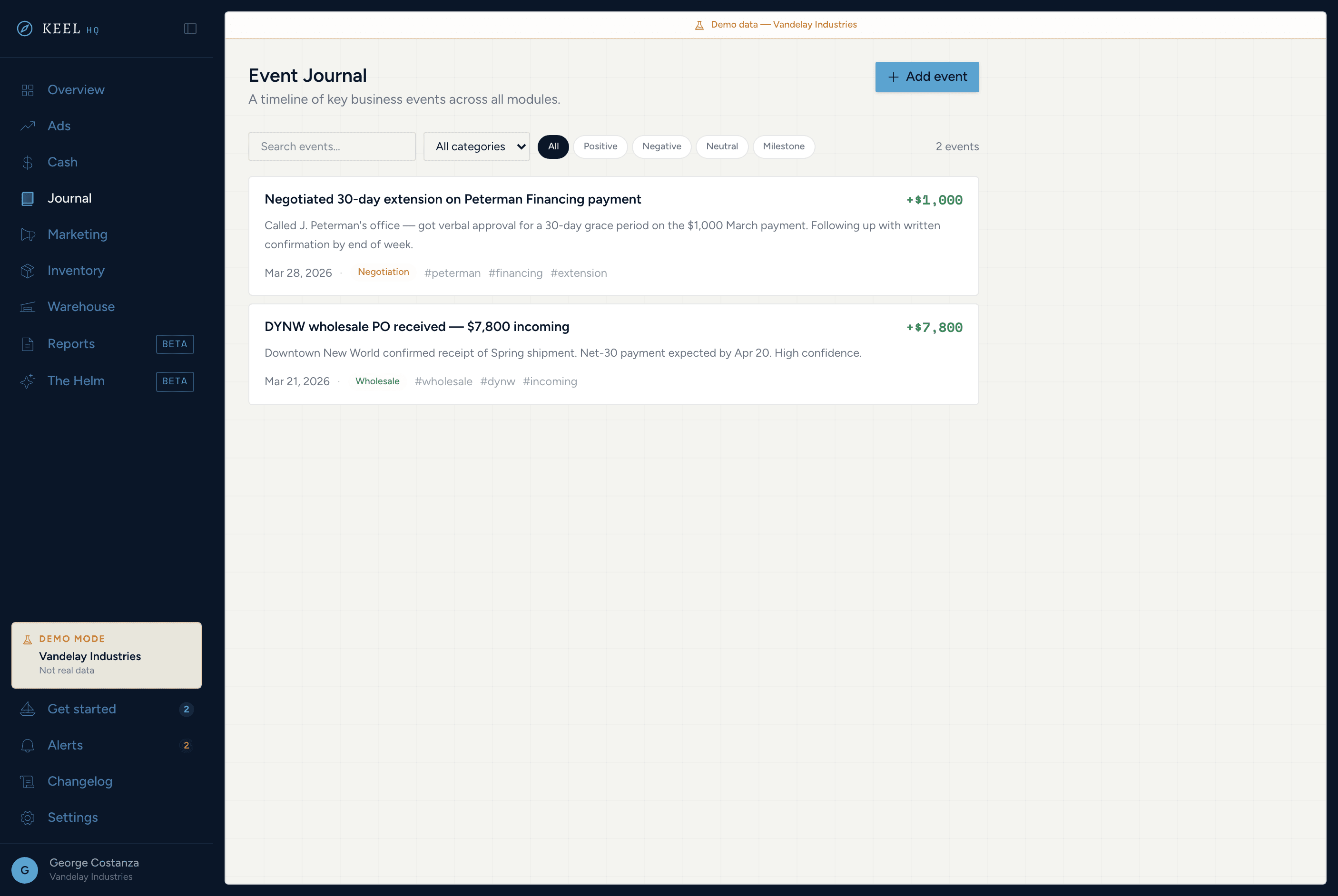
A shared event log for your whole team — log website updates, promo launches, supplier issues, and cash alerts. Every entry is searchable, category-tagged, and optionally dollar-stamped.
Shared event timeline
Newest-first log of every business event — the single source of truth for what changed and why.
30-second entry
Title, date, category, impact type, optional amount, optional tags. No friction, no fields to overthink.
Auto-logged from Cash
Debts added or paid off, critical cash, and forecast danger zones log themselves — no manual entry.
Dollar impact
Tag each event with an amount. See at a glance which entries moved the needle and by how much.
9 categories + hashtag tags
Financial, Marketing, Ads, Product, Operations, Wholesale, Negotiation, Team, Milestone — plus freeform tags for grouping by initiative or vendor.
Search + filter
Search titles and descriptions, then filter by category and impact type.
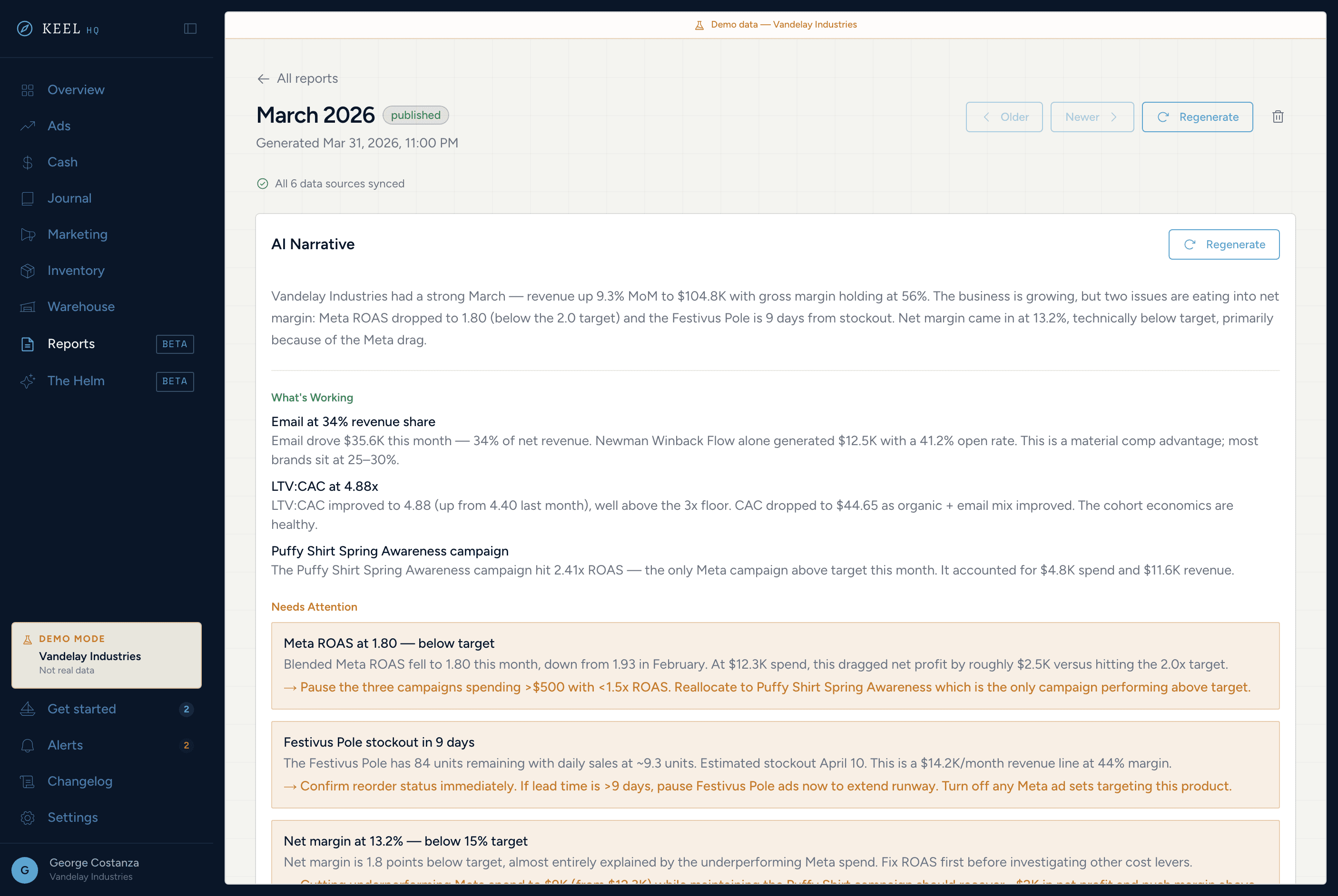
Content calendar, kanban board, and carousel studio.
Seven tabs covering organic social, email, SMS, and content ops. Plan, create, and track — without leaving the OS.
Content calendar
Everything planned, by date, on one monthly grid.
DnD content board
Drag ideas from Backlog → This Month → In Production → Review → Scheduled → Posted.
Post performance tracker
Log each post's numbers. Keel computes engagement rate and ranks your best formats and hooks.
Carousel builder
AIClaude-drafted Instagram carousels: 5 palettes, per-slide editing, PNG or ZIP export.
Klaviyo email metrics
Campaign and flow metrics, list growth, and a send-time heatmap, pulled from Klaviyo.
Postscript SMS
Subscriber count, 7- and 30-day growth, and the promotional vs transactional split.
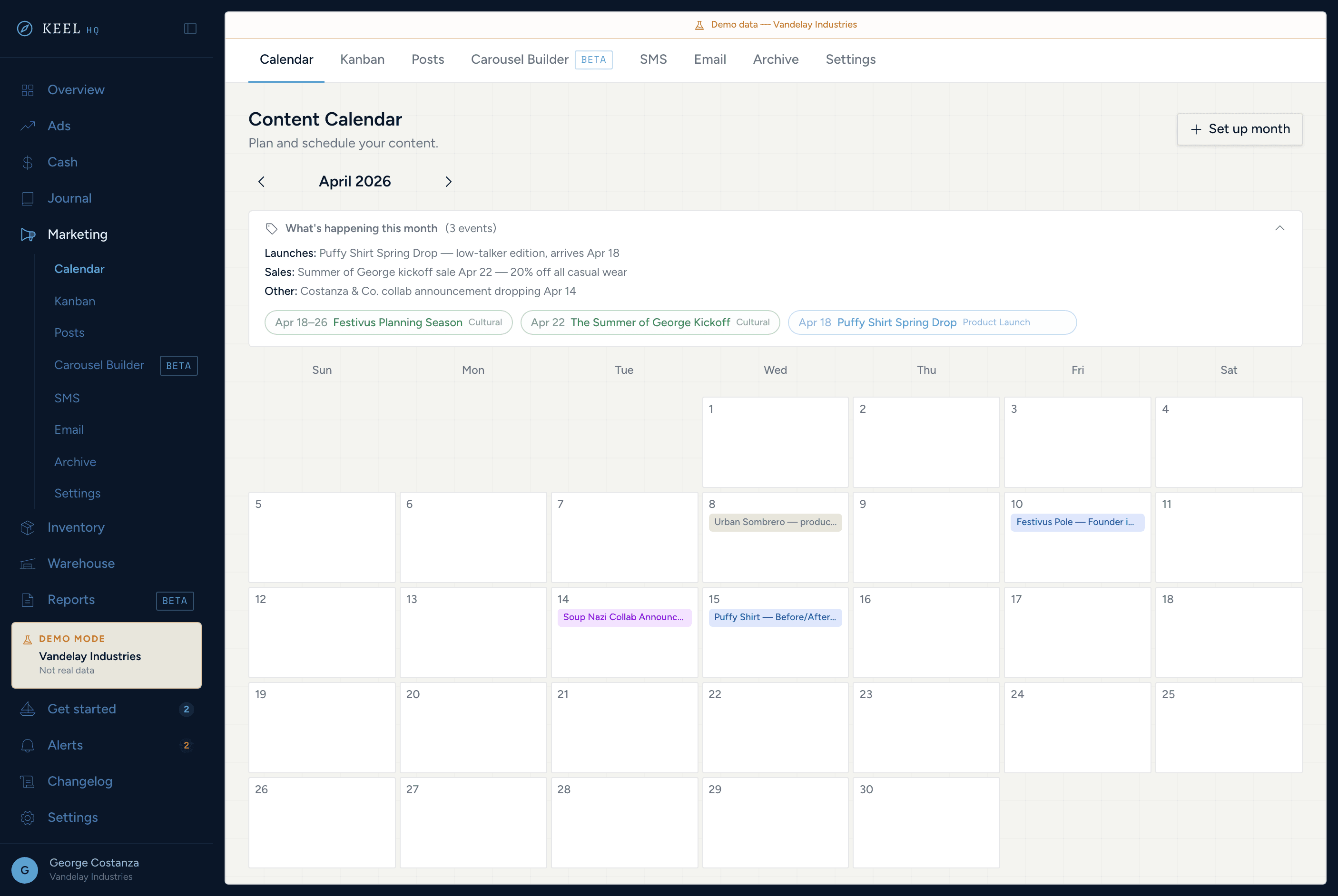
Nine tabs. Every product decision covered.
From ABC grading to sell-through curves, product pipeline, margin modeling, and return tracking — inventory ops without the spreadsheet.
Status-first overview
Out of stock, no sales, low, healthy, and overstocked buckets — ABC grades and value on hand by category.
Catalog with detail drawer
Filterable product table with variant breakdown and 90-day sell-through chart.
Product pipeline
DnD Kanban for new products: Design → Sample → Testing → Production → Drop planning → Dropped.
Margin calculator
Per-product margins with sale scenario modeling — know the floor before you discount.
Drops tracker
Launch pace zones, kill/keep recommendations, and sell-through progress by drop.
Returns dashboard
Return KPIs, outcome mix (refund, exchange, store credit), and top returned products.
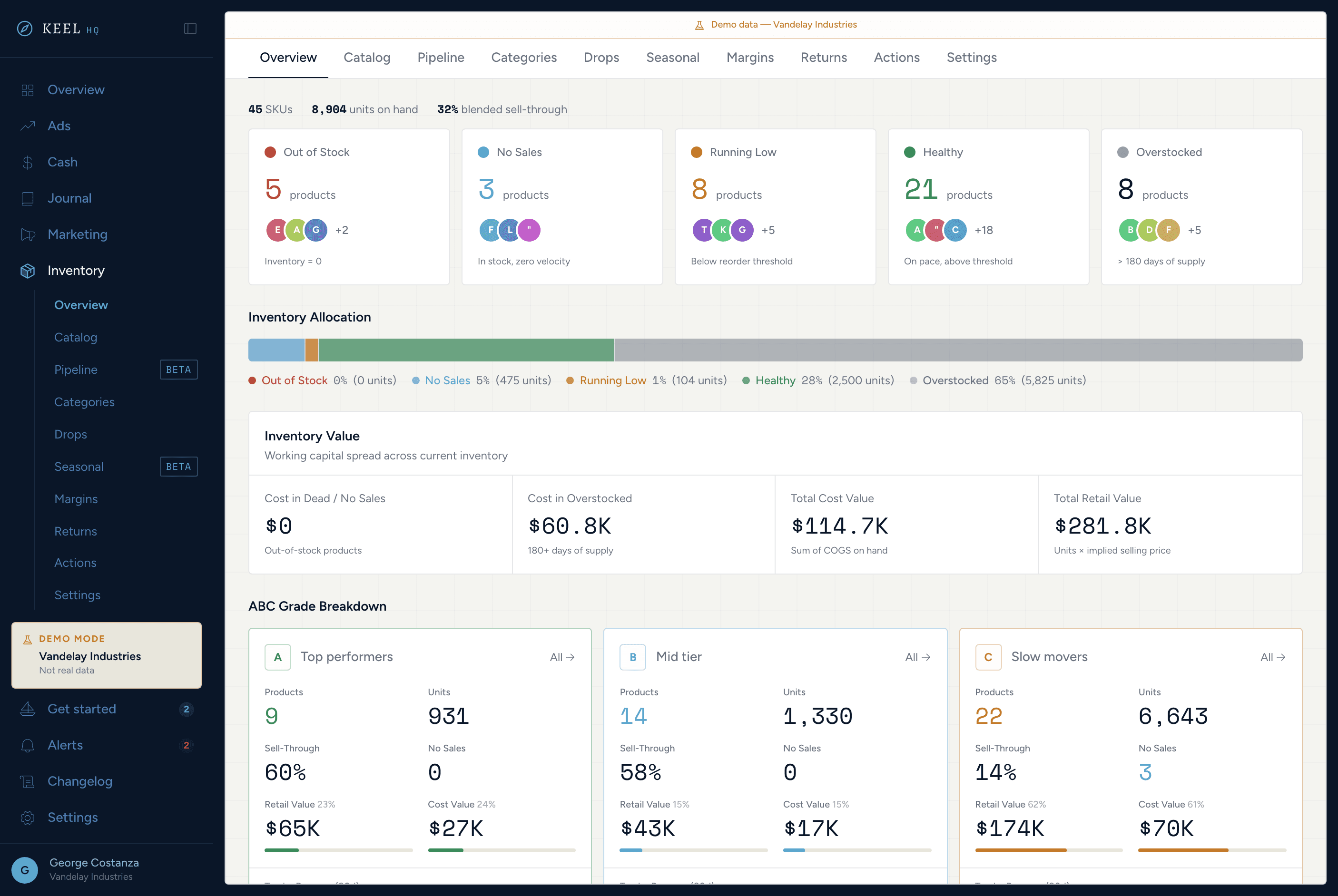
Shipping analytics and raw materials — automated.
Three tabs: shipping KPIs with a choropleth map, packaging supplies, and consumption rules that deduct stock for every ShipStation label.
Shipping KPIs
Cost per shipment, delivery days, on-time %, and shipping cost as % of revenue.
Geo choropleth
State-by-state order density and shipping cost map — find your most expensive corridors.
Raw materials
Track packaging inventory: poly mailers, tissue paper, stickers, boxes — by quantity and reorder point.
Consumption rules
Package type × storefront → material deduction. Set once; applied to every label on each daily sync.
Delivery analytics
Average transit time, on-time delivery rate, and carrier performance breakdown.
Shipping goals
Set cost and delivery targets and see actuals vs goals at a glance.
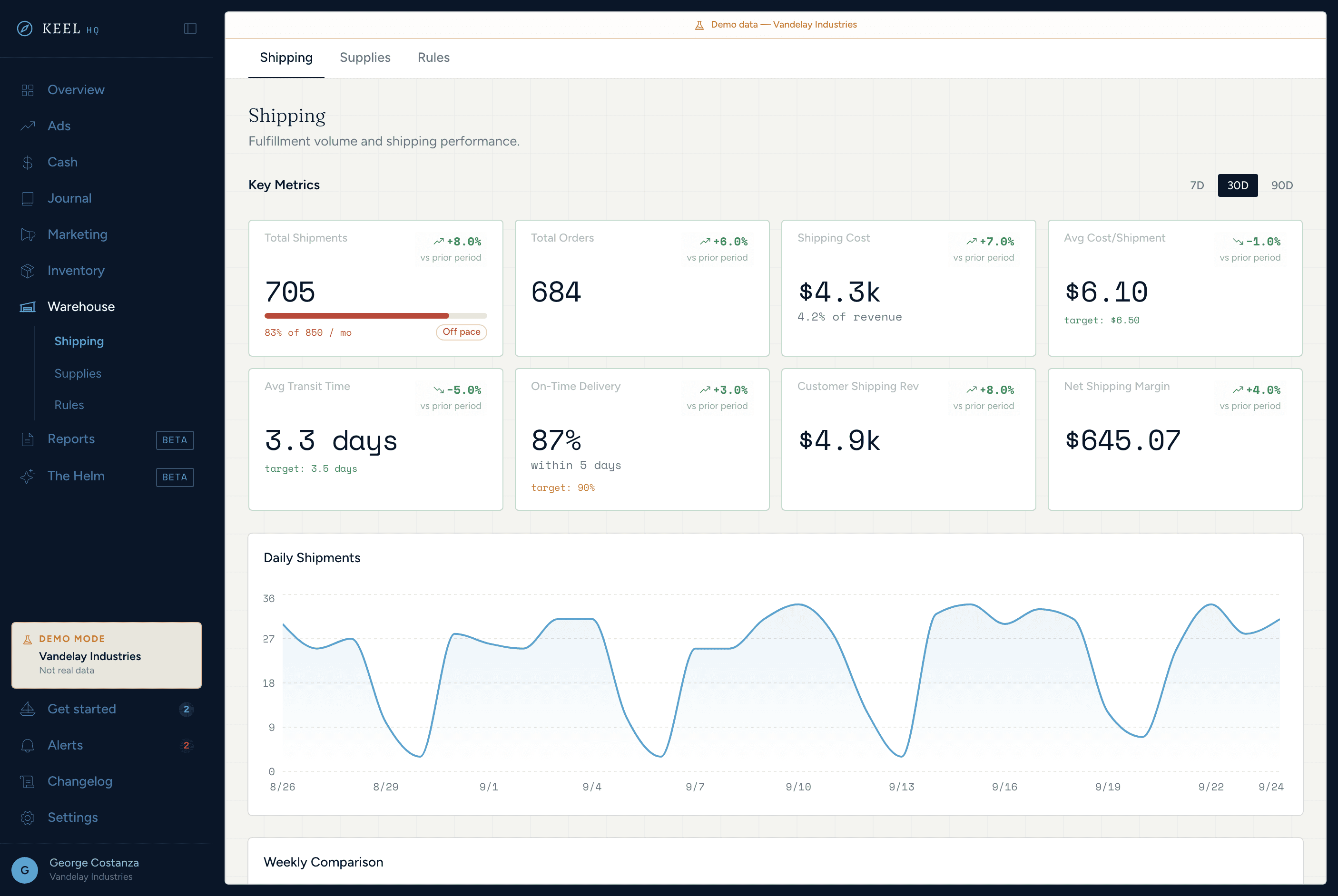
A real P&L and an executive summary, every month.
Monthly reports with a scorecard, a P&L on real COGS, plus customers, email, products, and inventory — and a narrative Claude drafts from your numbers. Regenerate until it's right, then mark it published.
Monthly reports
Generated from your synced data on the 1st of every month. Every number is computed, not written by AI.
Scorecard section
Every key metric with MoM delta — one page, every number that matters.
CM1 / CM2 / CM3
COGS from your Shopify unit costs, reversed on refunds and restocks, layered into CM1 and CM2, with CM3 once Meta Ads connects. Held back until 90% of revenue has a cost.
Narrative analysis
AIClaude explains what moved and what to do next.
P&L import
Upload a Finaloop P&L export (XLSX). Keel maps each line, you review it, and your variable costs flow into CM2 and your fixed costs into fixed OpEx.
Draft → Published
Regenerate until it's right, then mark it published.
Ask your business questions — here, or from your own AI tools. Built for teams.
A chat that reads your cash, forecast, and inventory data; read-only MCP access for Claude and Cursor; and team roles with module-level access.
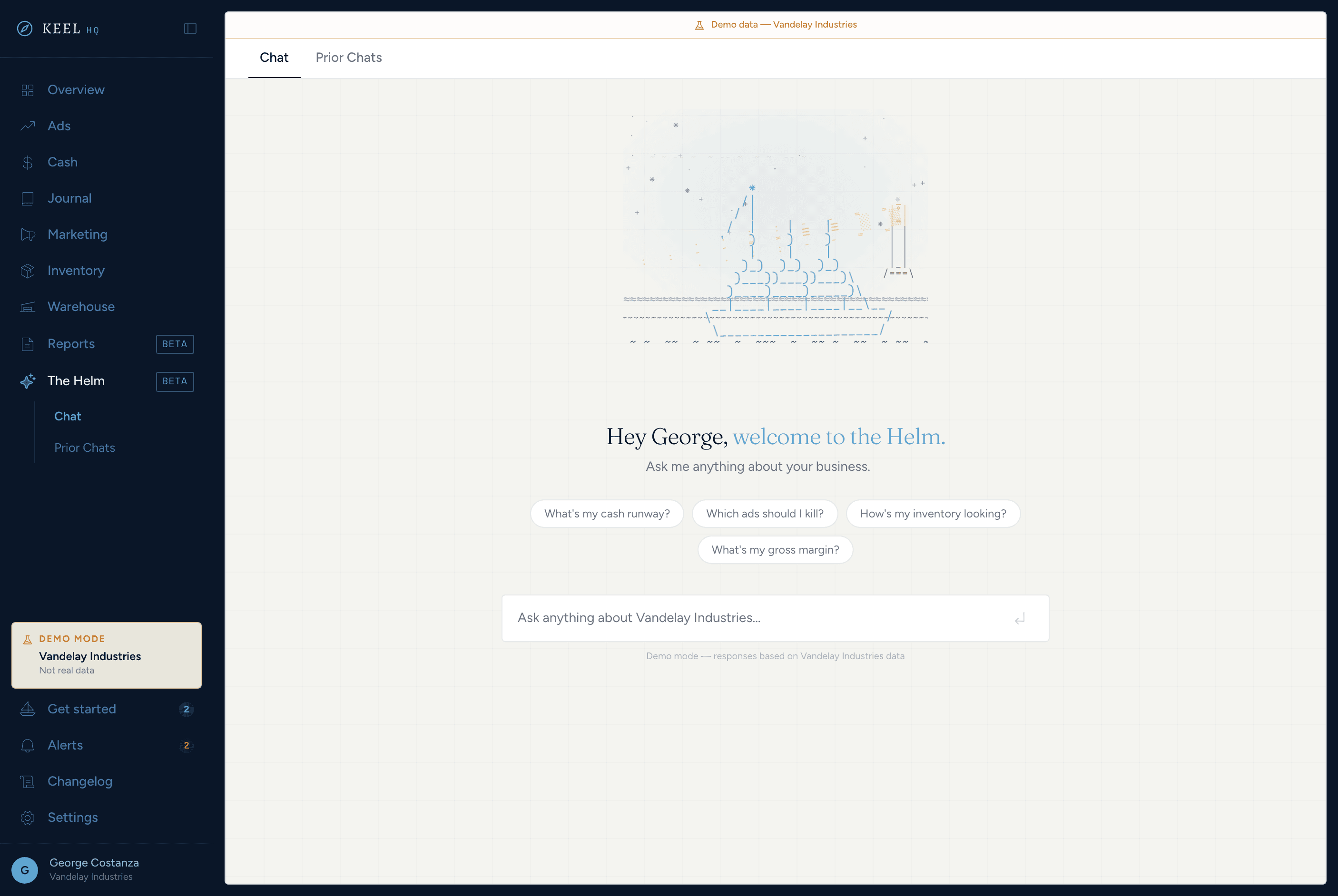
The Helm
AIAsk about cash position, runway, the forecast, or stock, and pick up past chats where you left off. Runs on your own Anthropic or OpenAI key.
MCP access
Connect Claude Desktop, Claude Code, or Cursor to your Keel data with a read-only token.
Connected integrations
Shopify, Klaviyo, Postscript, ShipStation, and Mercury, wired in from Settings.
Role-based access
Invite teammates as Admin, Member, or Viewer, and limit members and viewers to the modules they run.
AI usage log
See every AI call, token count, and cost, and set a monthly cap on the AI features you run.
Goal & alert config
Set cash and stock thresholds. Anything that crosses one shows up on your Overview.
Built for brands at the messy middle
- Solo operatorYou run it all yourself
Inventory to ads to email — no analyst, no ops team. Keel HQ gives you the visibility layer you've been stitching together in spreadsheets.
- Small brand team2-5 people, one shared source of truth
Stop Slacking each other to ask what inventory is left. Everyone sees the same numbers — and only the modules they need.
- Scaling founderYou've outgrown your dashboards
Shopify's analytics aren't enough, and Klaviyo and your bank are open in separate tabs. This closes them.
- Growing DTC brandFive to seven figures and growing
The tools built for enterprise don't fit yet. The tools built for beginners don't cut it. Keel HQ is built for the brands in between.
Captain's log
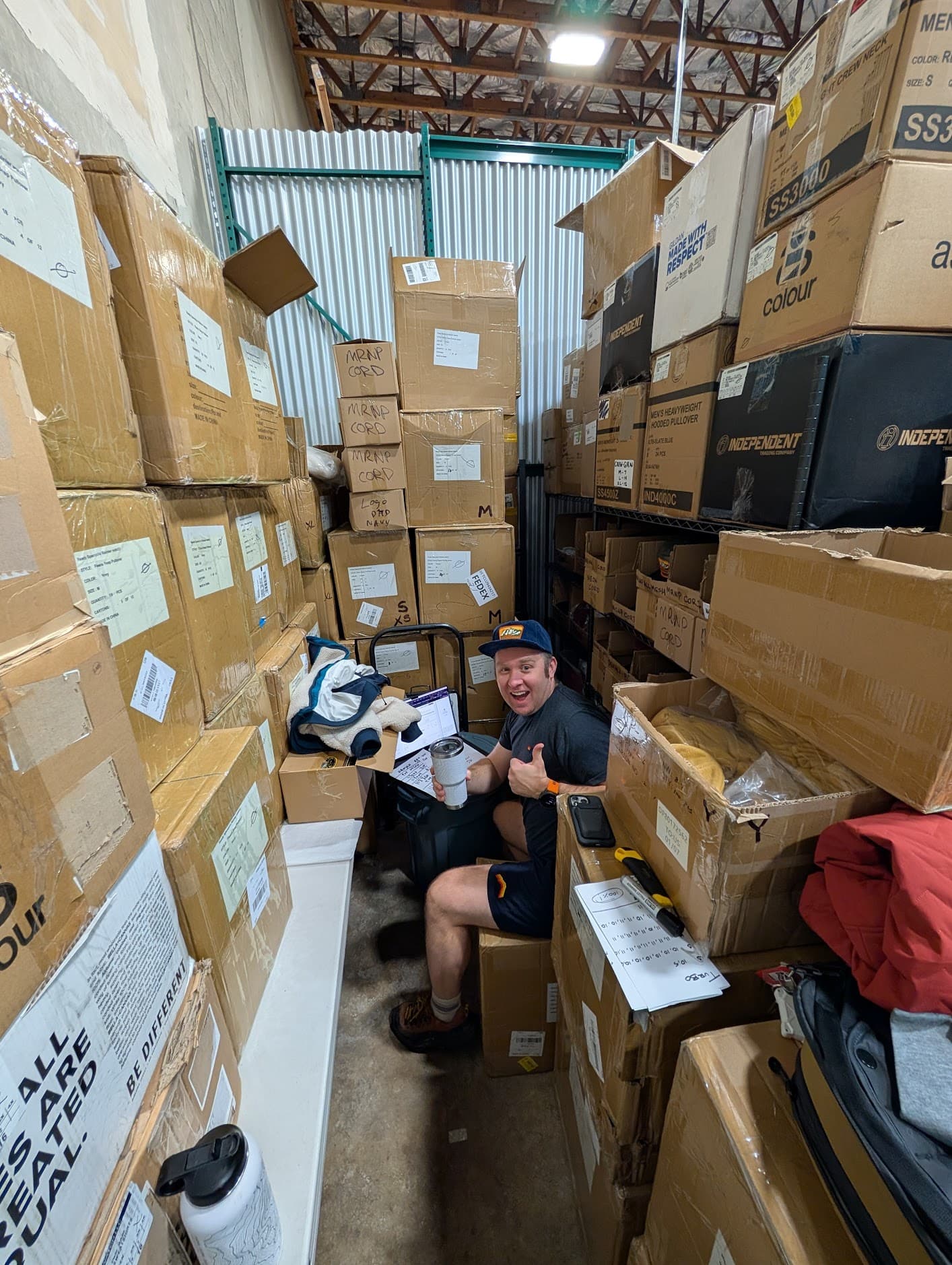
I started by building a half dozen Claude skills just to get answers no other tools could give me. Then I realized I was still tab-switching between six apps to run the brand. So I built the one platform I actually wanted.
What started as consolidating my own workflow turned into something bigger, adding features I'd wished I had for years, solving the specific pain points that spreadsheets and fragmented SaaS never quite got right. Opinionated, fast, and maintained by someone who uses it every week, if not every day.

David Lindahl
Running my own brand on Keel
- 10+ years web development experience
- $0 in VC funding
Questions
Shopify (products, orders, inventory, COGS, payouts), Klaviyo (email campaigns and flows), Postscript (SMS subscribers), ShipStation (shipping analytics), and Mercury (banking). Meta Ads is coming soon. Shopify orders sync every six hours and everything else daily, and most sources have a refresh button. Nothing to configure on your end.
DTC brands doing five to seven figures a year: big enough that Shopify's built-in analytics aren't cutting it, not so big that you need an enterprise BI team. Plans scale by order volume, not revenue, so Keel grows with you.
Harbor is $95/month for up to 1,000 orders a month, Coastal is $195/month for up to 5,000 orders a month, Open Seas is $395/month for unlimited orders. Every plan includes every feature and starts with a 14-day free trial, card required. Pay yearly and get 2 months free. AI features run on your own Anthropic or OpenAI key, so you pay the provider directly for what you use. See pricing.
No — it sits on top of them. It pulls data from your existing tools and gives you a single pane of glass. You keep using Shopify for orders, Klaviyo for email, and Meta for ads.
A separate demo workspace running on a mock company, Vandelay Industries. Explore every module without connecting your store or exposing real business data.
Yes. Invite teammates as Admin, Member, or Viewer from Settings, and limit members and viewers to the modules they run — inventory, cash, ads, marketing, warehouse, or reports.
Sure — you're welcome to do that. That's actually how this project started. Just a heads up: it will take months of full-time coding. This platform is 400+ pull requests deep, with lots of iteration, code reviews, and agents running around the clock for months. 10+ years of web development and design experience has played into every decision too. If you want to build it yourself, go for it — that's the spirit this was built in. If you'd rather skip straight to having it, that's what this is for.
This is a private beta — we're onboarding one brand at a time, and our Shopify app is in App Store review. Join the waitlist below.
Yes. Keel runs a read-only MCP server: an admin creates a token in Settings, and you connect Claude Desktop, Claude Code, or Cursor. Every tool result carries when each source last synced, so your AI can flag stale data.
Join the waitlist.
Currently in private beta. We're onboarding DTC operators one at a time. Drop your email and we'll reach out when a seat opens.